AllScan URI Recommended DIP Switch / Trim Pot Settings
RV1 and RV2 trim pots should generally be set to 50% (default) unless otherwise noted.
Click on model name link for schematic.
URI101
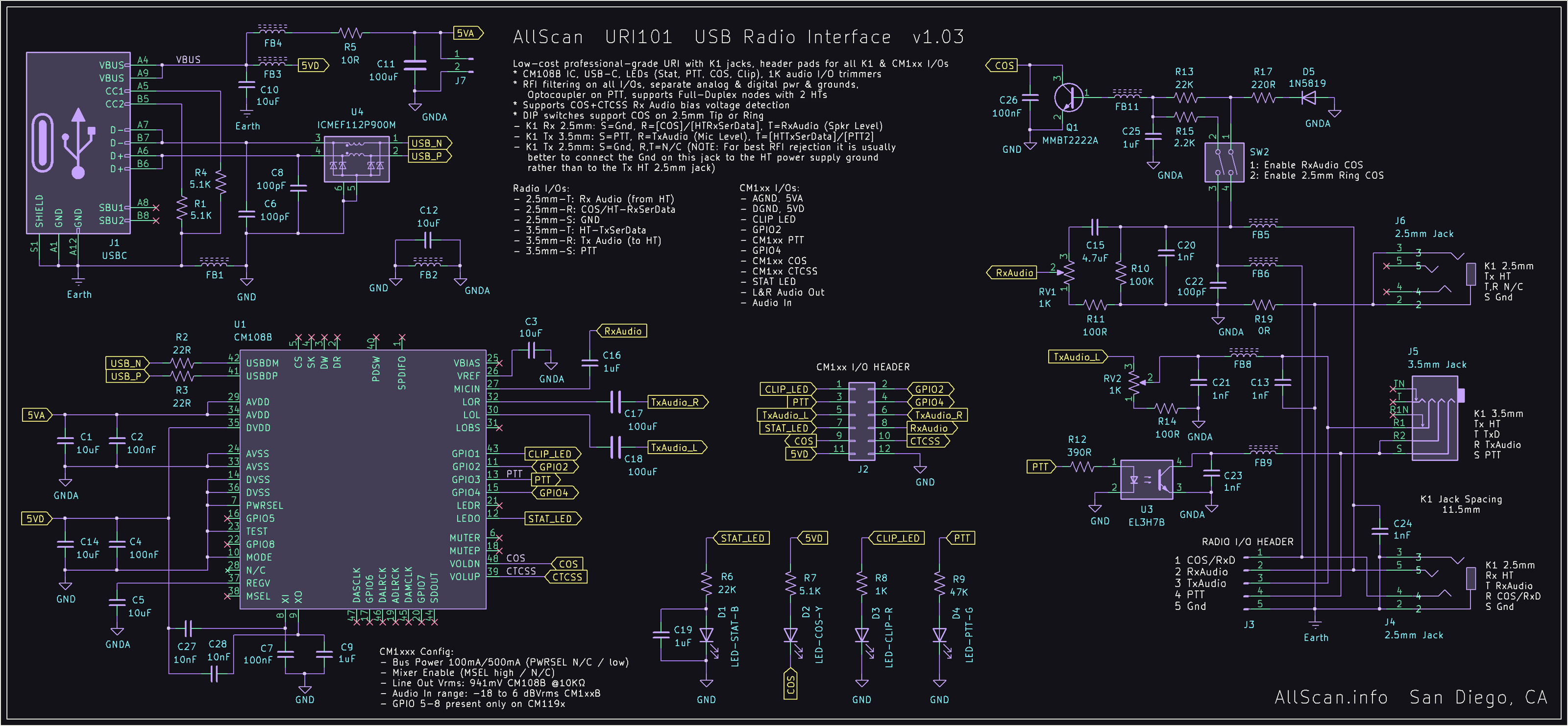
SW1: 1&2 Off (Rterm) / try other settings if RFI present on Rx audio
SW2: 1 On, 2 Off for COS detection from RxAudio Bias Voltage
     1 Off, 2 On for COS from Rx HT 2.5mm Jack Ring
For use with 1 HT (half-duplex)
Connect the 3.5mm Tx HT jack and 2.5mm Rx HT jack to the HT K1 jacks.
For use with 2 HTs (full-duplex)
Connect the 2.5mm Rx HT jack to the Rx HT
Connect the 2.5mm Tx HT jack to the Tx HT
Connect the 3.5mm Tx HT Gnd jack sleeve to the HT Power Supply Ground
URI110
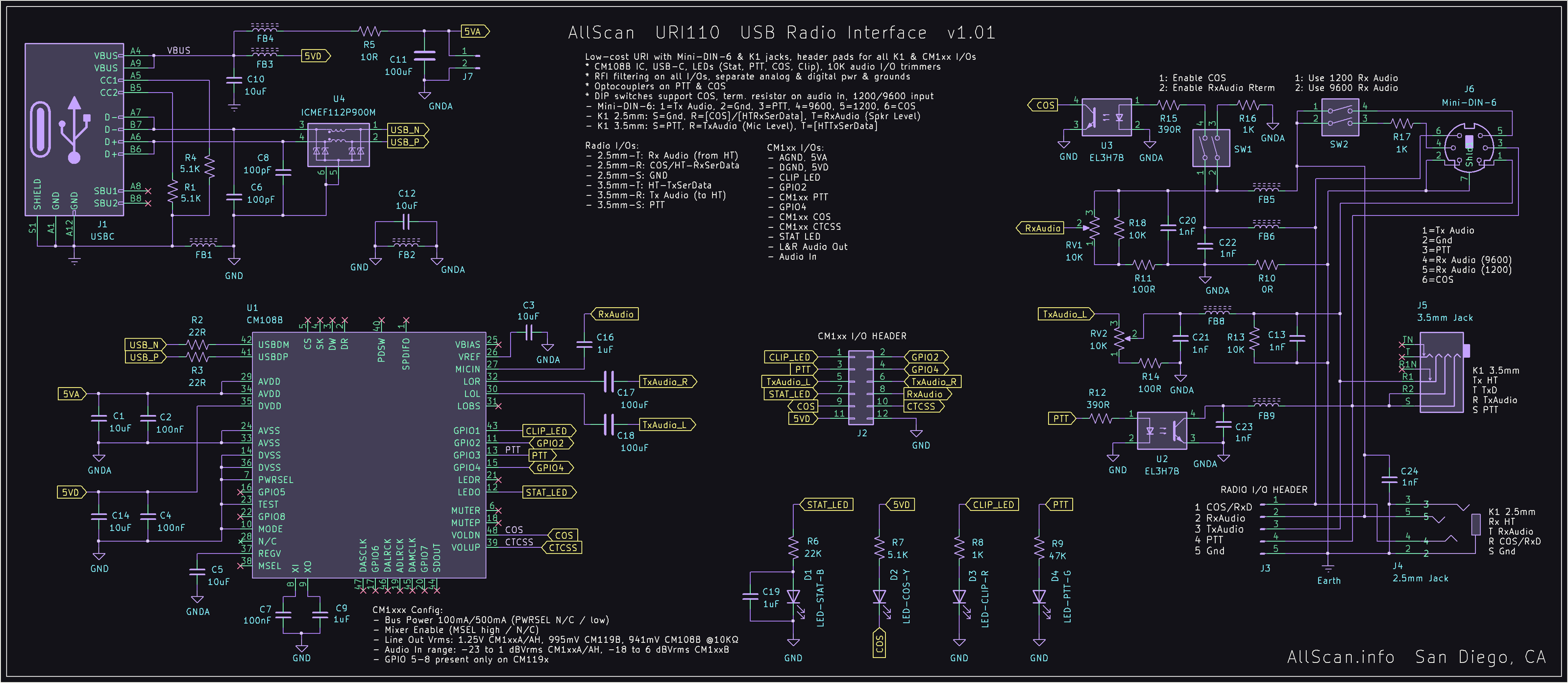
For use with a Mobile Radio with Mini-DIN-6 Jack, ASL USBRadio DSP mode
SW1: 1&2 Off
SW2: 1 Off (1200), 2 On (9600)
RV2 TxAdj: Set to max (clockwise)
For use with 1 HT (half-duplex)
Connect the 3.5mm Tx HT jack and 2.5mm Rx HT jack to the HT K1 jacks.
SW1: 1&2 On (COS, Rterm)
For use with 2 HTs (full-duplex)
Connect the 3.5mm Tx HT jack to the Tx HT
Connect the 2.5mm Rx HT jack to the Rx HT
Connect the URI Enclosure Ground / J3 pin 6 to the Tx HT 2.5mm jack Sleeve
SW1: 1&2 On (COS, Rterm)
URI125
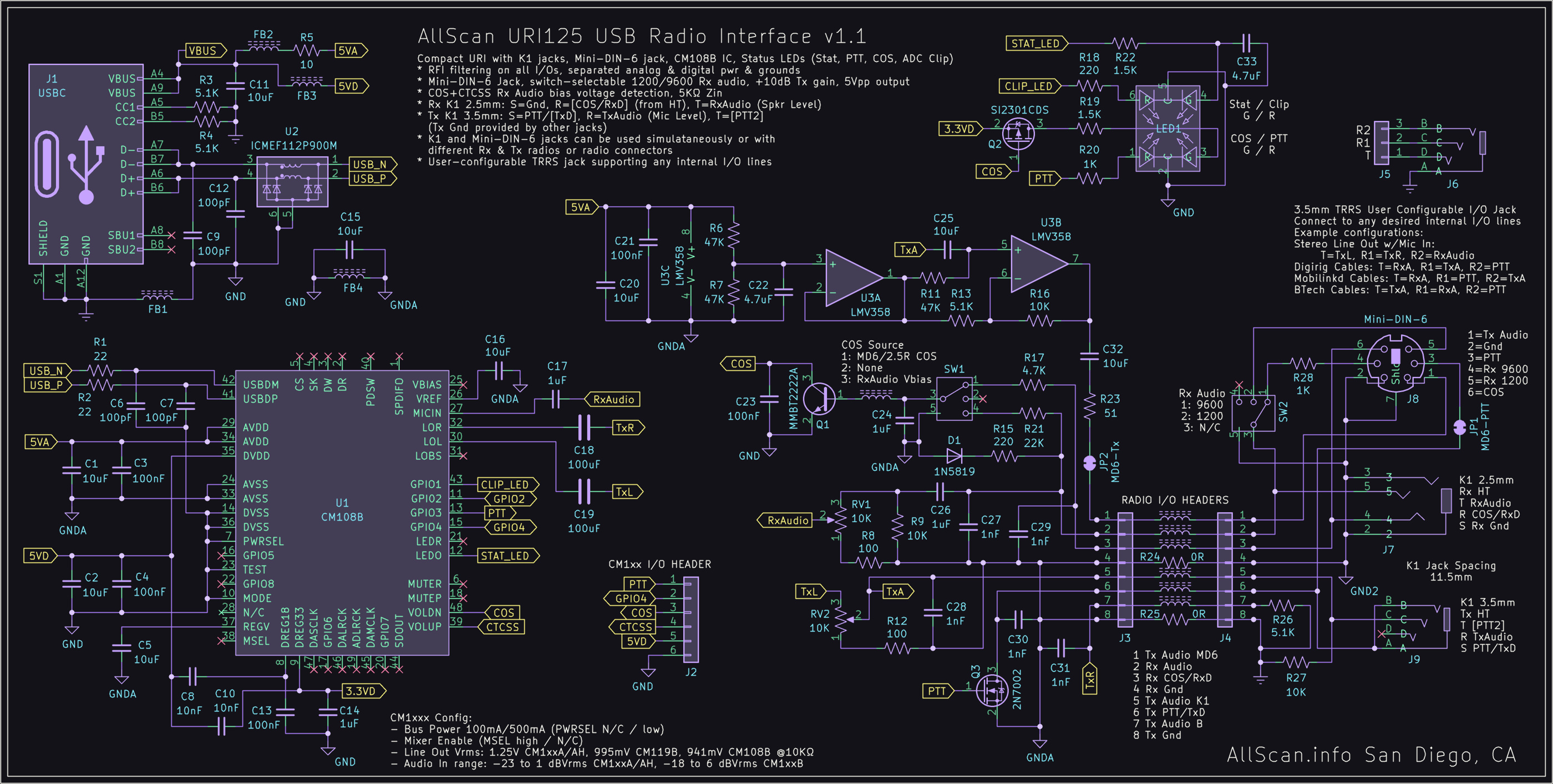
COS Source: Norm for mobile radios, RxVb for HTs, or set to N/C if COS is
not needed eg. if using DSP squelch detection in the host application or
if using the URI as a PC audio interface.

Rx Audio Source internal slide switch: Set 1200, 9600, or N/C. For Tx only
through the Mini-DIN-6 and Rx through the K1 2.5mm jack set to N/C.

MD6-PTT solder jumper: Can be cut to enable Rx only from the Mini-DIN-6
jack and Tx only through the K1 3.5mm jack.
URI141
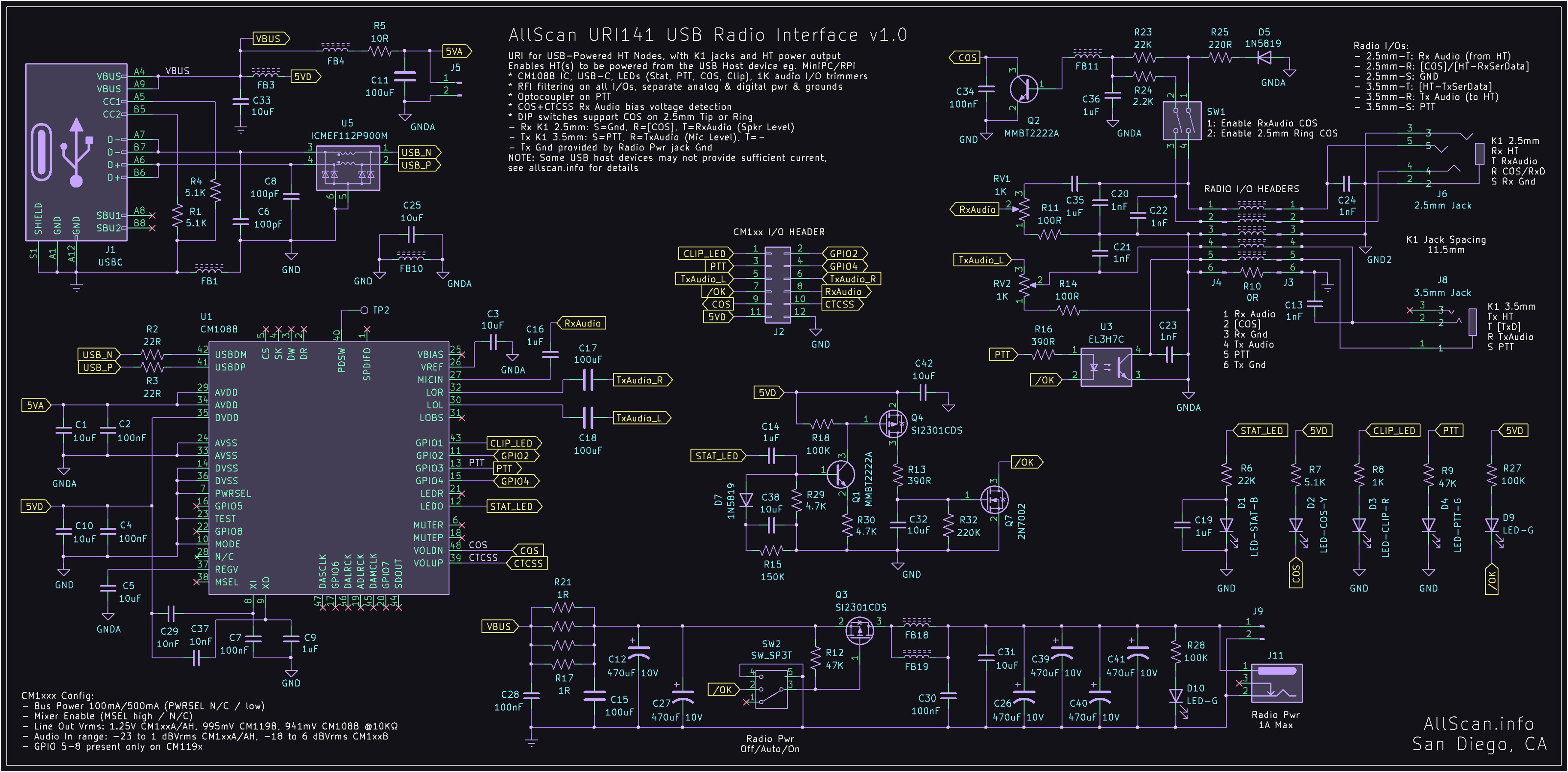
SW1: For RxAudio COS set 1 On, 2 Off / For 2.5mm Ring COS set 1 Off, 2 On
URI145
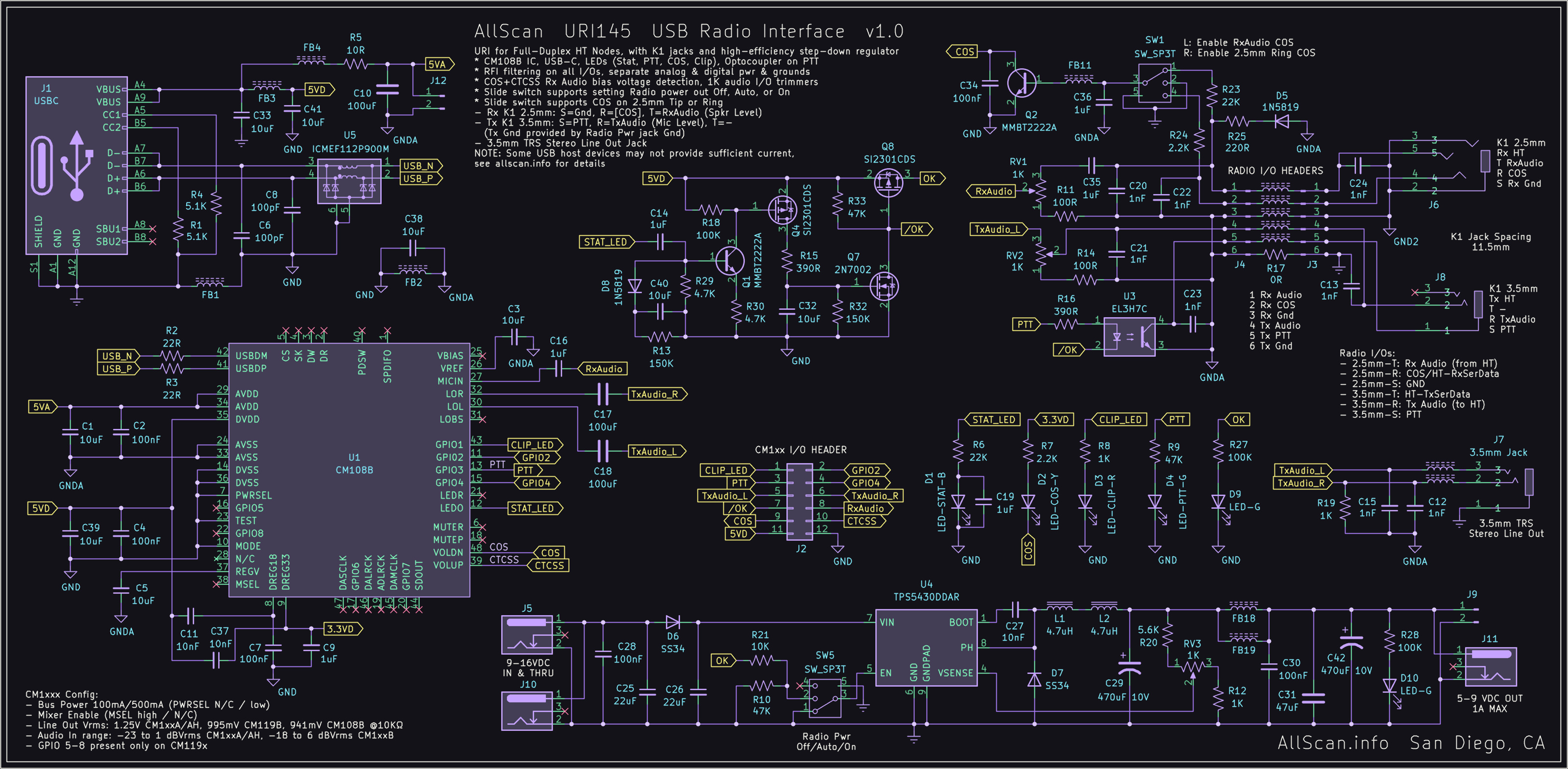
SW1: For RxAudio COS set to Left position / For 2.5mm Ring COS set to Right position
URI150 v1.2
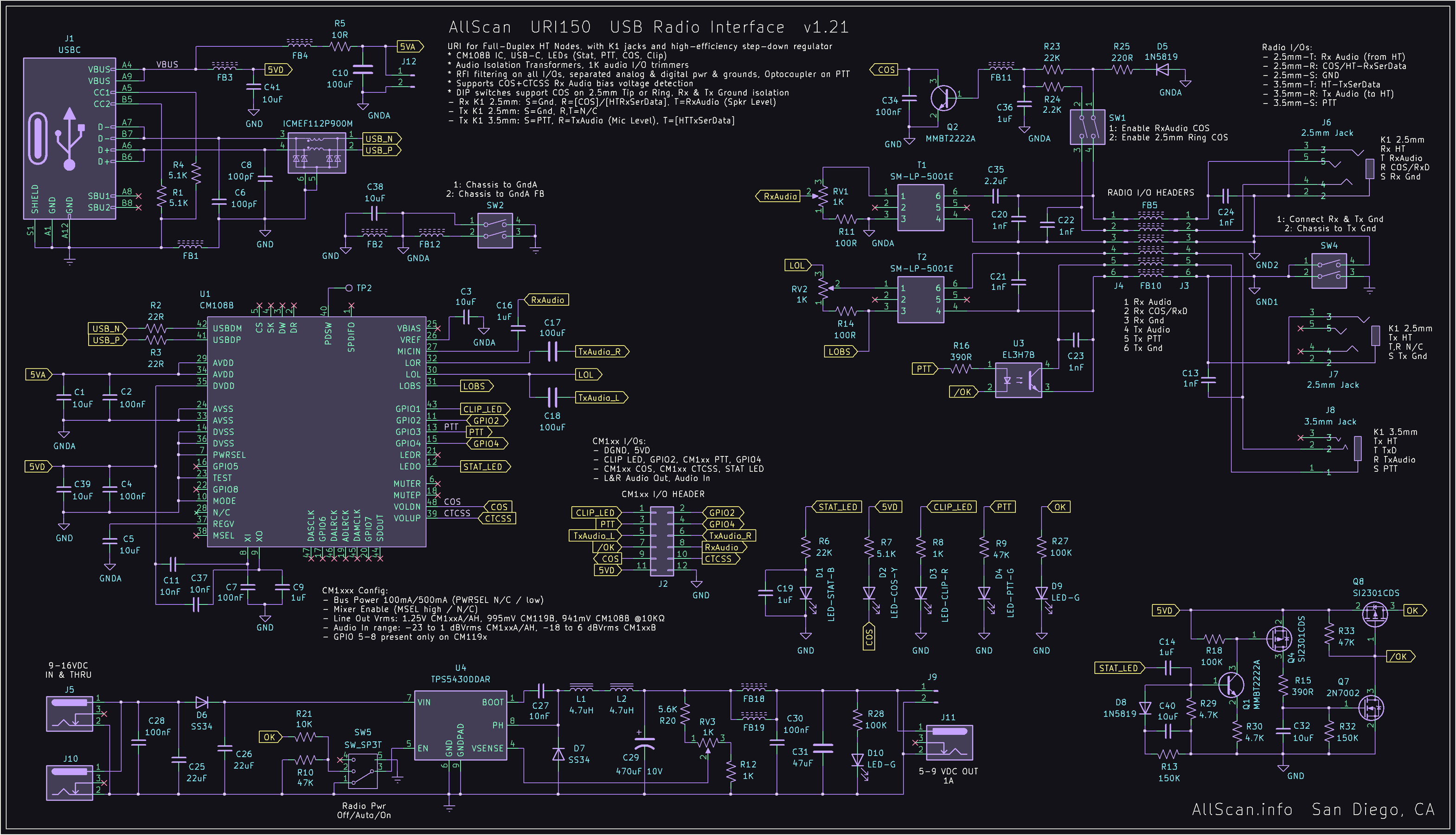
SW1: For RxAudio COS set 1 On, 2 Off / For 2.5mm Ring COS set 1 Off, 2 On
For use with 1 HT (half-duplex)
Connect the 3.5mm Tx HT jack and 2.5mm Rx HT jack to the HT K1 jacks
SW2: 1&2 Off
SW4: 1&2 On
For use with 2 HTs (full-duplex)
Connect the 3.5mm Tx HT jack to the Tx HT
Connect the 2.5mm Rx HT jack to the Rx HT
SW2: 1&2 Off / Set 2 On if COS/PTT not working properly
SW4: 1 Off, 2 On
URI150 v1.1

SW1: For RxAudio COS set 1 On, 2 Off / For 2.5mm Ring COS set 1 Off, 2 On
SW2: 1&2 Off
SW3: 1&2 Off / Set 2 On if COS/PTT not working properly
For use with 1 HT (half-duplex)
Connect the 3.5mm Tx HT jack and 2.5mm Rx HT jack to the HT K1 jacks
NOTE: An RFI issue with High Tx power on 2m causing USB resets can be addressed by setting
SW4 1&2 Off, then connect Rx Gnd & Tx Gnd together with a jumper wire on the Radio I/O header.
Also be sure to place ferrite clamp-on cores at both ends of all cables.
For use with 2 HTs (full-duplex)
Connect the 3.5mm Tx HT jack to the Tx HT
Connect the 2.5mm Rx HT jack to the Rx HT
SW4: 1 Off, 2 On
URI160
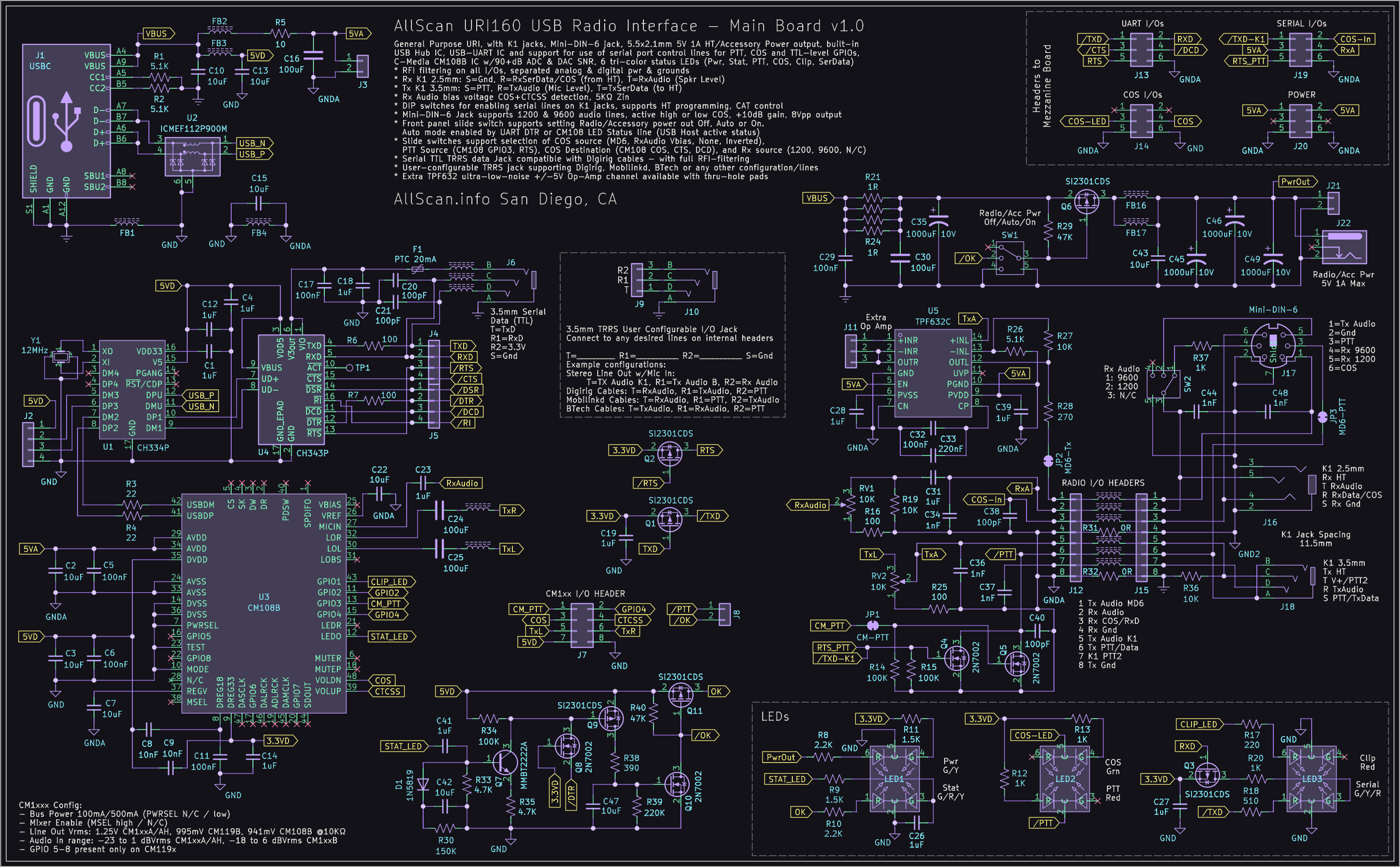
COS Source: Norm for mobile radios, RxVb for HTs, or set to N/C if COS is
not needed eg. if using DSP squelch detection in the host application or
if using the URI as a PC audio interface.

Rx Audio Source: Set 1200, 9600, or N/C. For Tx only
through the Mini-DIN-6 and Rx through the K1 2.5mm jack set to N/C.

MD6-PTT solder jumper: Can be cut to enable Rx only from the Mini-DIN-6
jack and Tx only through the K1 3.5mm jack.

COS Destination: Selects if COS is routed to the CM108 VolDn input (ASL COS),
or to the UART CTS or DCD lines.

RTS PTT Enable: Set to On if using an app that uses a serial port RTS line
for PTT. Otherwise set to Off.

K1 Serial Data Enable: Set to On if you will be using a programming / CAT
control app with an HT.

COS Polarity: This should be High for most radios. Only set to Low for mobile
radios that have an active low COS output.
URI201
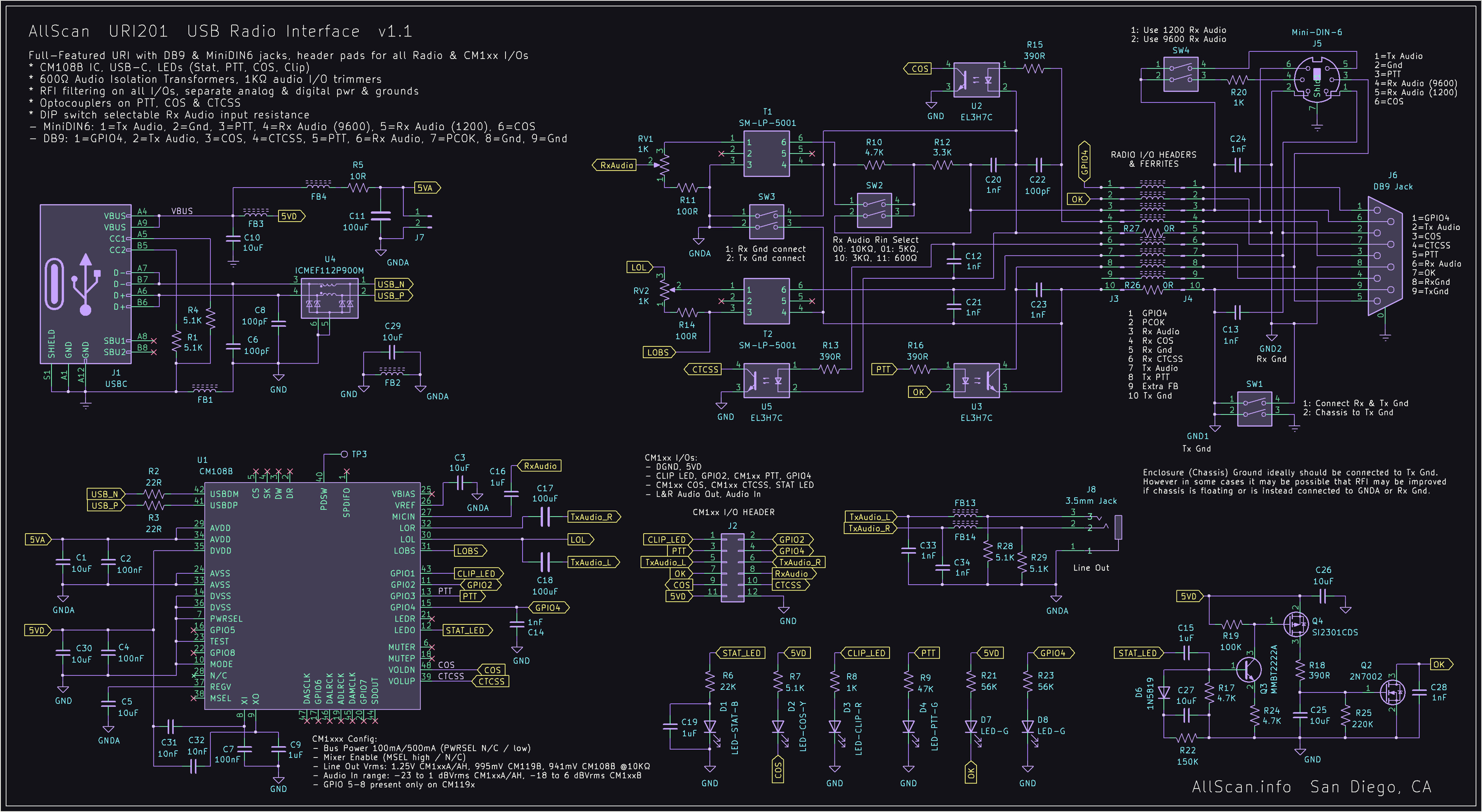
SW1: 1&2 On / try setting either or both Off if RFI or other issues occur
SW2: 1 On, 2 Off (5KΩ Zin) / try other values for best audio quality and levels
     or for radios with higher or lower audio output source impedances
SW3: 1&2 Off
SW4: 1 On = Use Mini-DIN-6 1200 Rx Audio In / 2 On = Use Mini-DIN-6 9600 Rx Audio In
RxAdj & TxAdj: When using flat (9600) audio IOs set to max (clockwise) as a starting point
Because the URI201 uses 600Ω audio isolation transformers, when higher input impedances
are selected this will reduce the audio input level to the CM108B by 15~24dB and thus its
mic boost setting will likely need be enabled in the application or OS audio driver.
For ASL3 set rxboost=yes in simpleusb.conf/usbradio.conf.
For assistance with other radio configurations send me an email.